Study together,
graduate stronger.
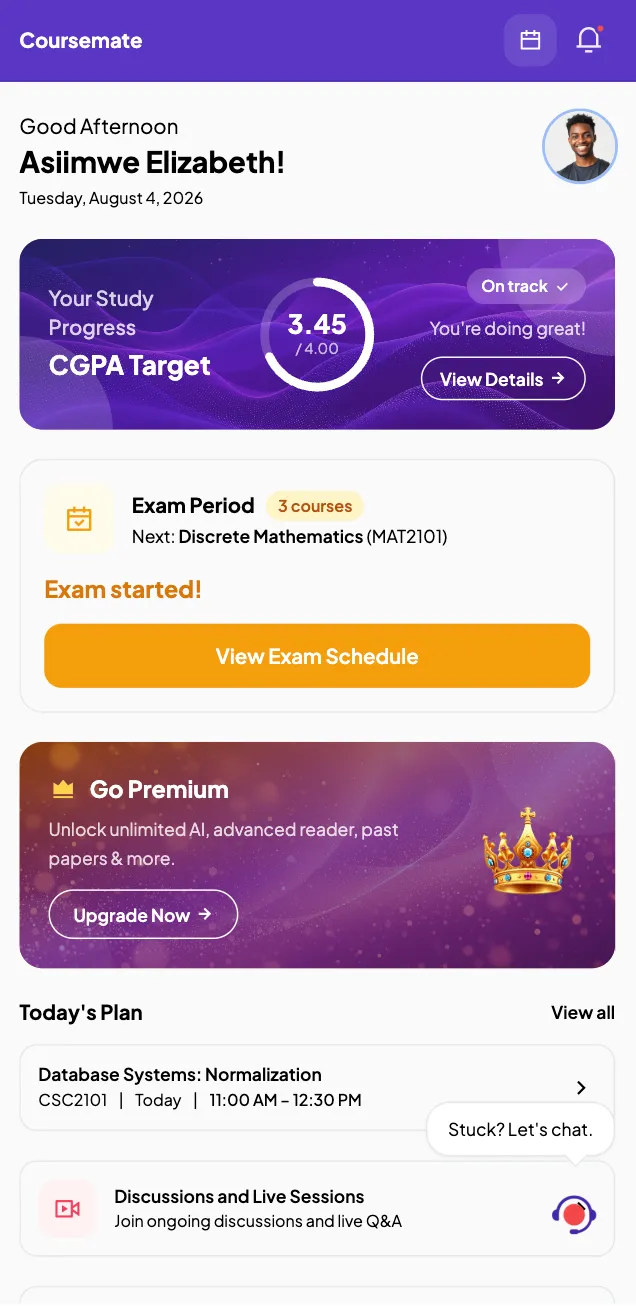
CourseMate brings your courses, your coursemates and your grades into one app — materials, study communities, CGPA planning and an AI study partner.
Everything a semester asks of you
Built around how studying actually goes, not how a syllabus says it should.
-
Your courses, organised
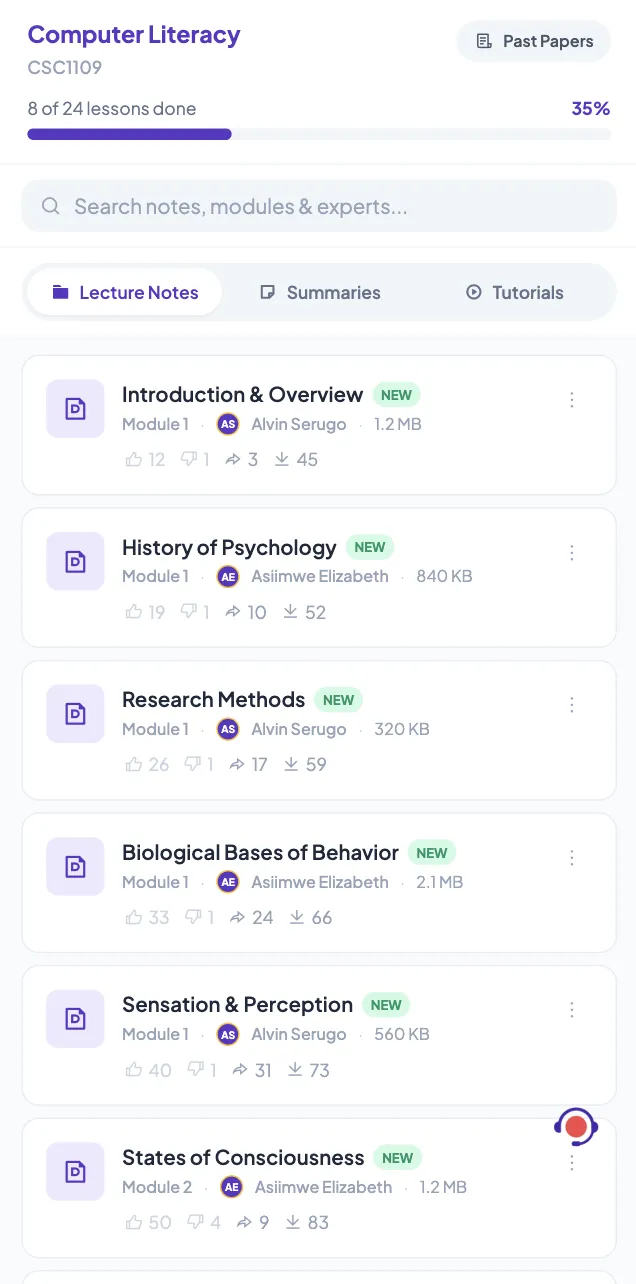
Every course you are enrolled on, with its materials, units and schedule in one place instead of scattered across group chats.
-
Study communities
Ask a question, answer someone else's, and build a reputation. Course-wide communities plus focused zones for the topics you care about.
-
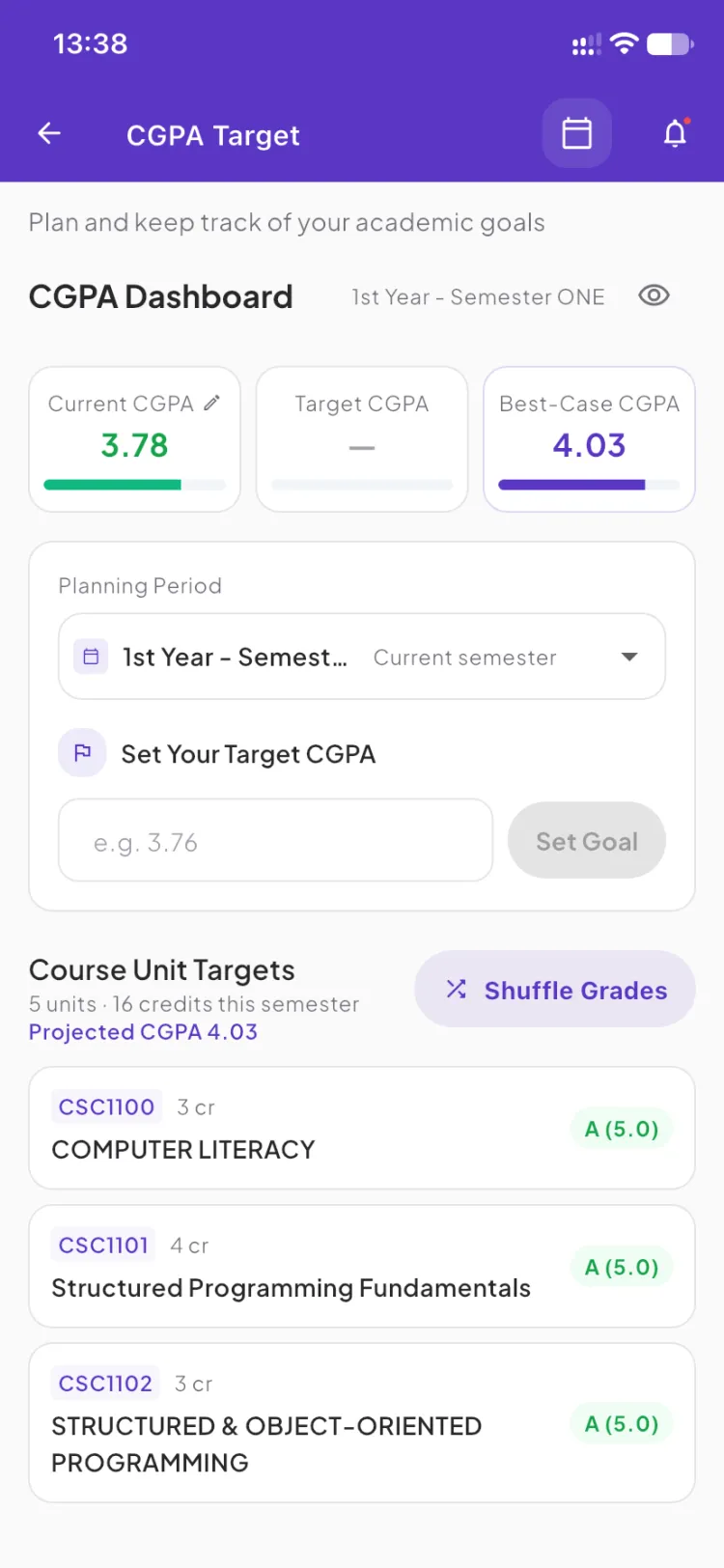
Plan your CGPA
Set a target grade and see the combinations of results that get you there — so you know what this semester actually needs to look like.
-
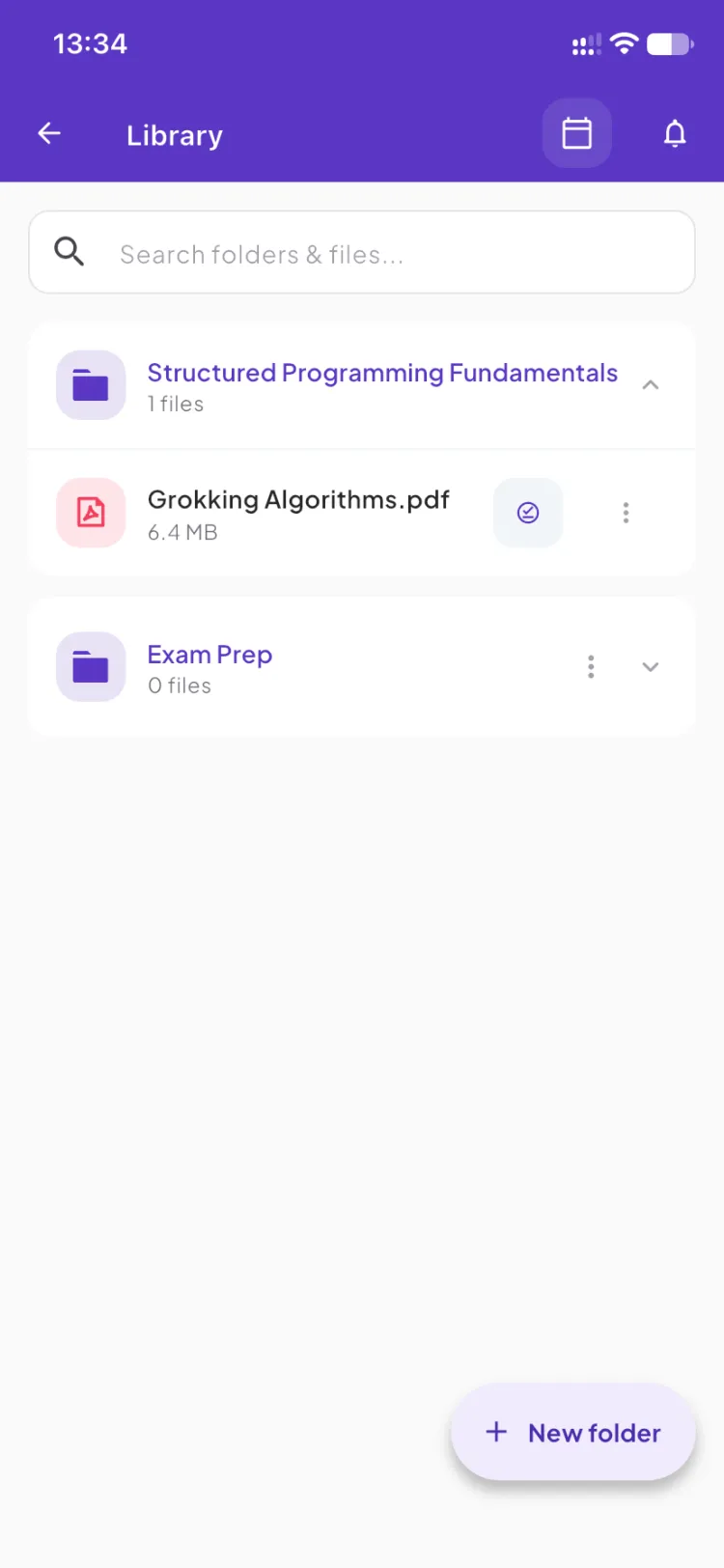
A library that travels
Save materials into folders you control, read them in the built-in reader, or have any page of notes read aloud while you walk to class.
-
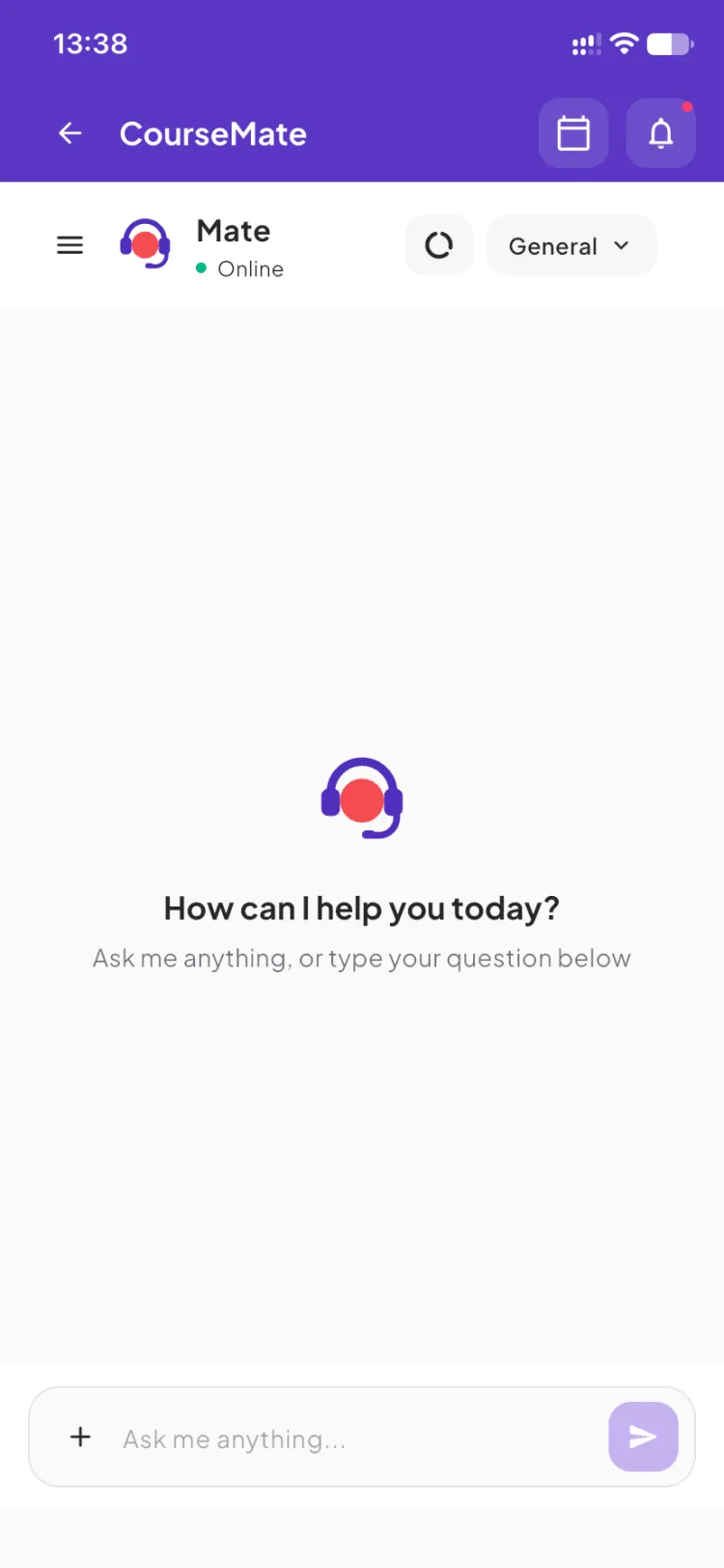
Ask Mate
An AI study partner that answers only from your own course documents — explain this, summarise it, what should I focus on — for the moment you are stuck at midnight and nobody in the group chat is awake.
-
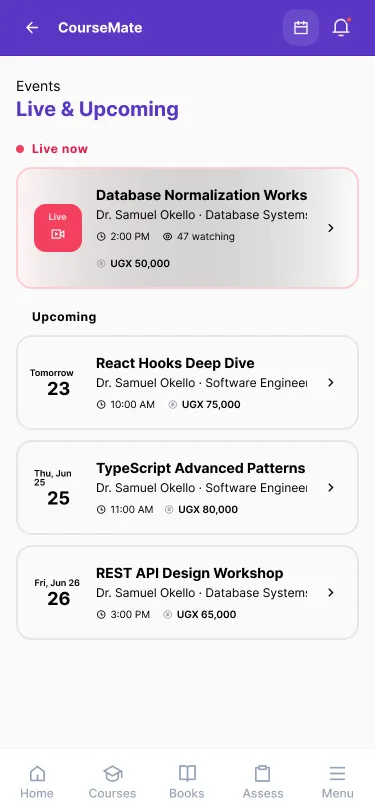
Live sessions and experts
Join live sessions run by students who have already passed your unit, or become a student expert yourself and help the people a year behind you.
What it looks like
Screens from the app as it is today, not a mock-up of one to come.
-
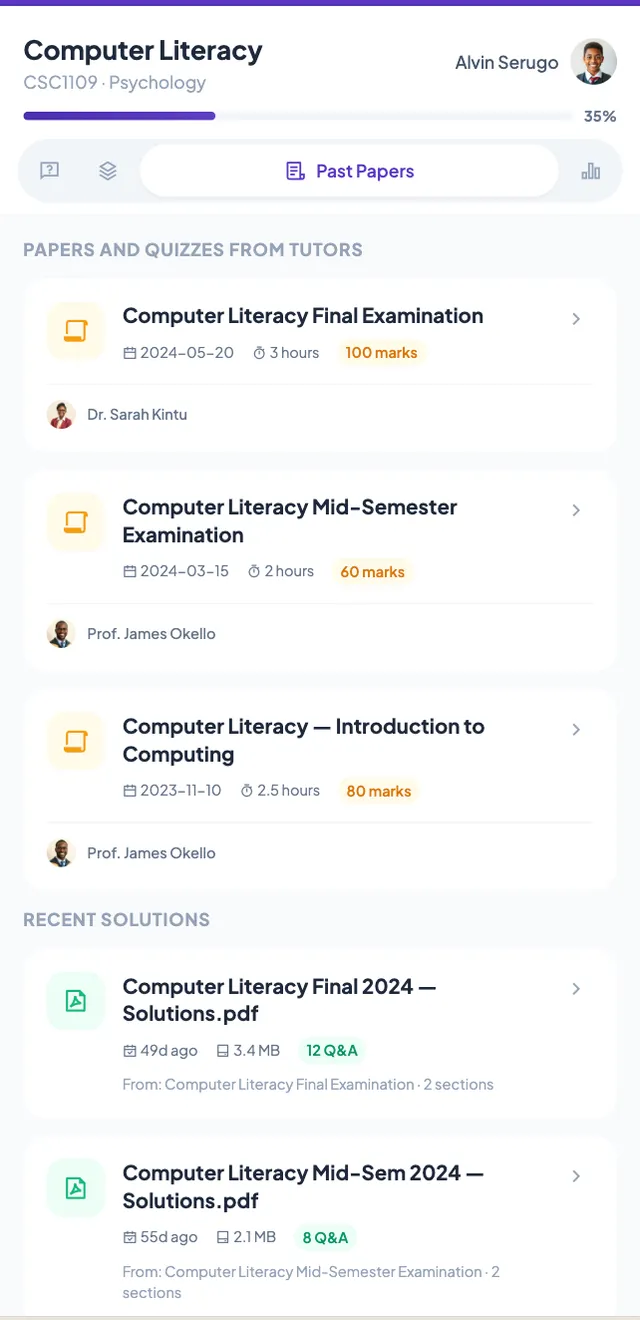
Past papers where you expect them
-
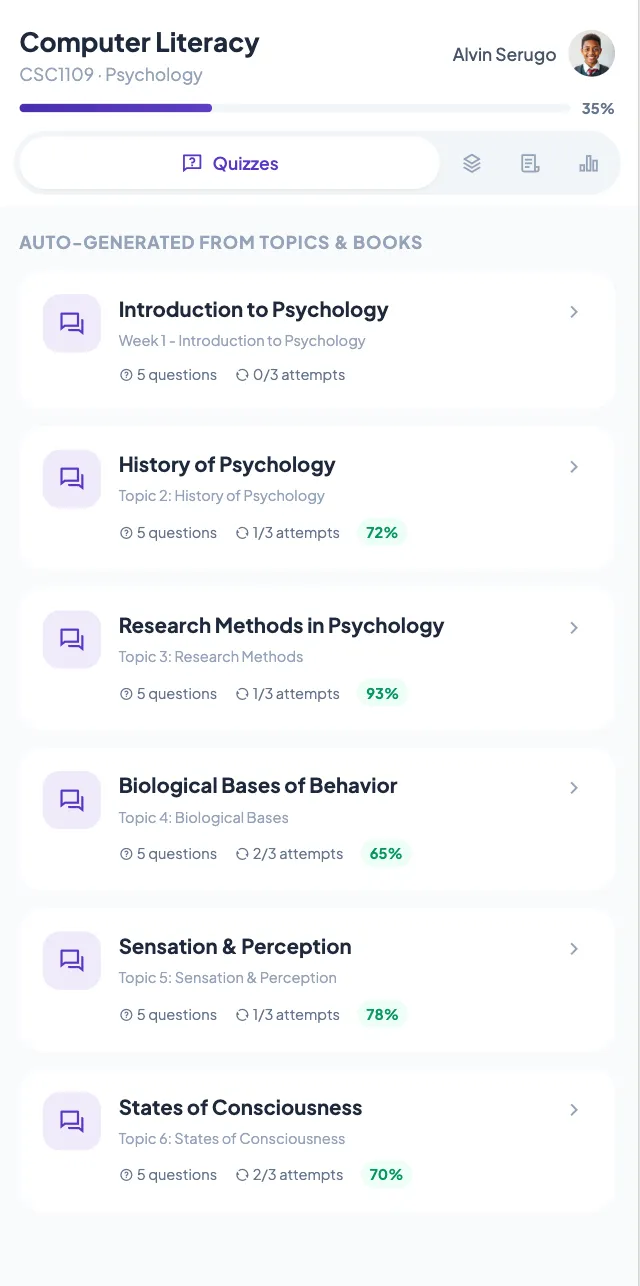
Quiz yourself before the exam does
-
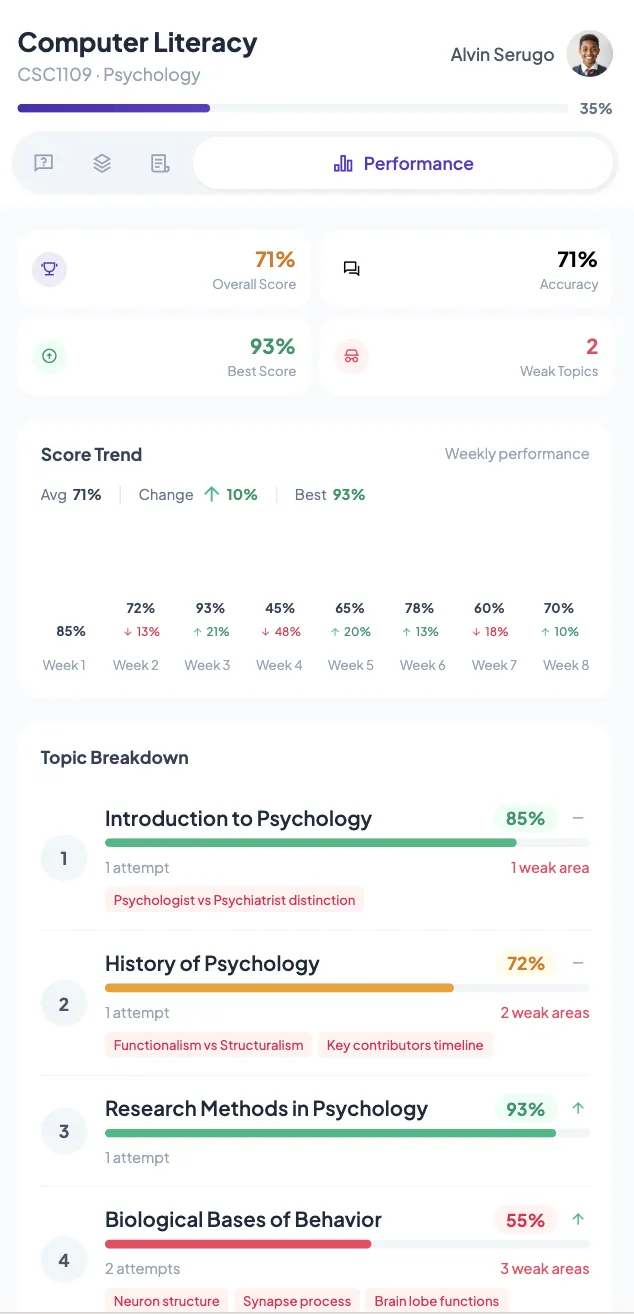
See which topics are costing you marks
-
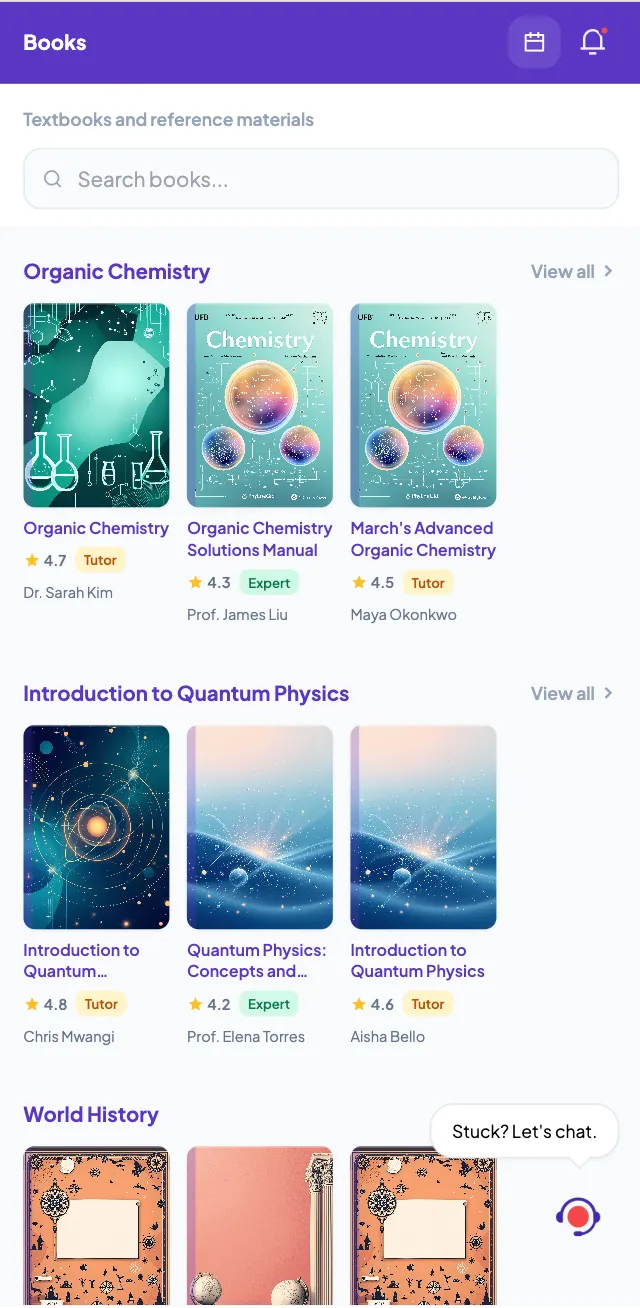
Textbooks and references, ready to read
Getting started
-
Create your account
Tell us what you are studying, and your courses and community come with it.
-
Find your people
Your course community is waiting. Join it, ask your first question, and see who is already there.
-
Keep your grades on track
Set a CGPA target, save what you need to revise, and check in as the semester moves.
Know a unit well? Teach it.
The notes, past papers and live sessions on CourseMate come from two kinds of creator. Both set their own prices and get paid into a CourseMate wallet.
-
Student Expert
Still studying, already teaching
Did well in a course unit? Apply from the app menu, get approved, and teach up to three units from your programme while you finish your own degree.
How Student Experts work -
Facilitator
For lecturers and instructors
Put your course on every student's phone. Upload material, run live sessions and teach across programmes and universities — up to 40 units.
How Facilitators work
Questions
How much does CourseMate cost?
CourseMate is free to download and lecture notes are always free. Tutorials, summaries, past papers, books, quizzes and live sessions are paid for one at a time with MTN or Airtel mobile money. There are no subscriptions, no auto-renewals and no hidden fees.
Which devices does it run on?
CourseMate is built for iOS and Android phones.
Do I need to be enrolled at a university?
Your course community is matched to what you are studying, so an enrolment gives you the fullest experience. You can still explore the app without one.
Ready when you are
Join the students already studying together on CourseMate.