Your course, on every student's phone.
Facilitators are lecturers and instructors who teach undergraduates. You get the same tools as Student Experts — content, pricing, live sessions, analytics and a wallet — with a registration built for instructors rather than students.
Coming soon Launching on iOS and Android.
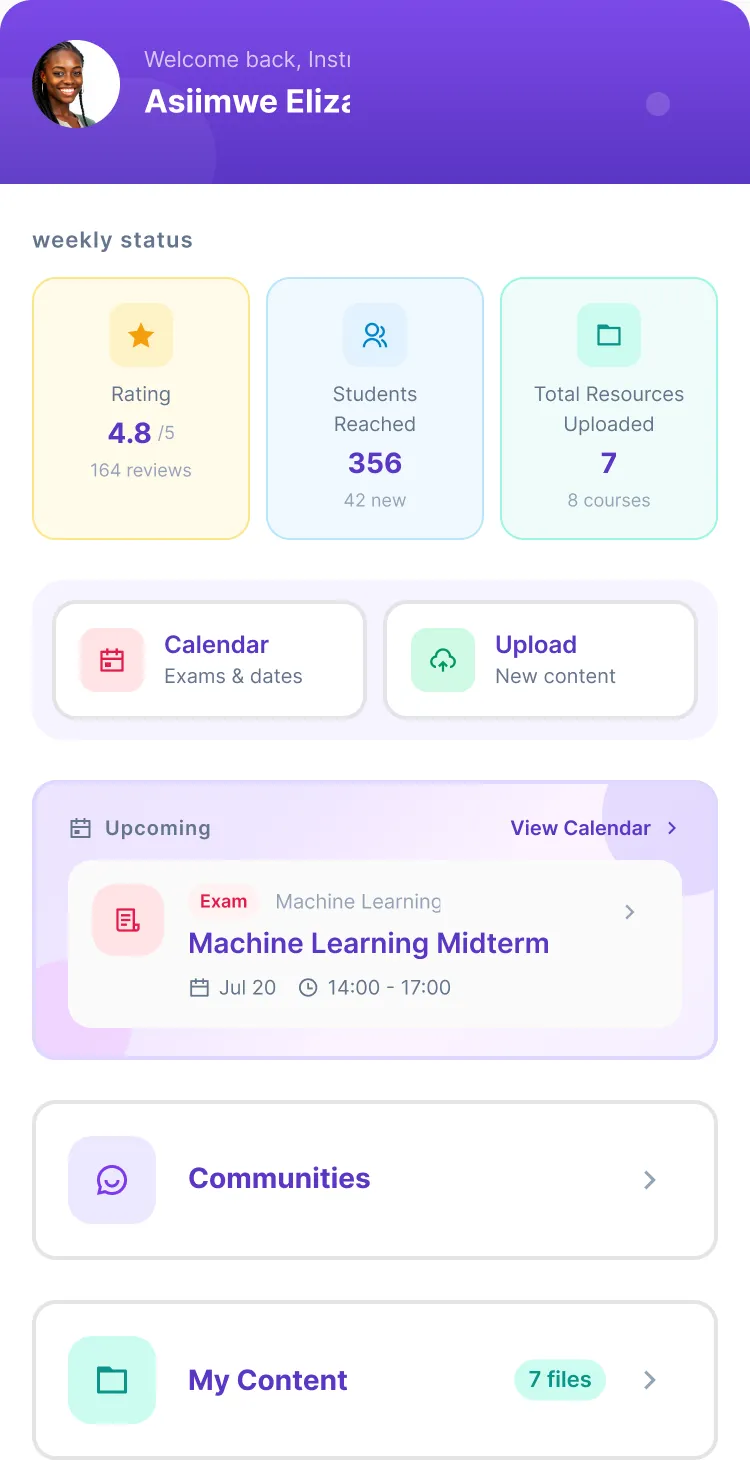
How it works
From sign-up to your first withdrawal in four steps.
-
Sign up
Choose Facilitator when you create your account. Four onboarding steps.
-
Get verified
National ID and qualifications, reviewed within 24–48 hours.
-
Upload and price
Material for any of your verified units, free or priced in UGX.
-
Go live and get paid
Paid sessions from the Live tab. Earnings land in your wallet; withdraw any time.
Sign up as a Facilitator
Choose Facilitator when you create your account. Onboarding has four steps.
-
Personal details
Full name, email, mobile contact and a profile picture.
-
Teaching
Pick the university and programme, then the course units you can facilitate. You can add units from other programmes and universities — up to 40 course units in total.
-
Facilitator profile
Your area of expertise (e.g. Web Development, Data Science), your highest qualification (PhD / Doctorate, Masters / MPhil, Bachelors / BSc, Diploma) and a short bio of at least 50 characters.
-
Verification
Your National ID and a university transcript or results (JPG, PNG or PDF, up to 10 MB). All instructors verify their identity; documents are encrypted and reviewed within 24–48 hours.
Your account is created immediately and gains full access once verification is approved.
Upload, price, teach
Upload Content asks for university → programme → year → course unit, then the file type. Content is always attached to a specific course unit so students find it in the right place.
| Type | What it is |
|---|---|
| Video Tutorial | Recorded lessons and walkthroughs |
| Notes | Lecture notes, slides, handouts |
| Summary / Cheatcode | Condensed notes, quick references |
| Past Papers | Previous exams, tests, quizzes |
| Timetable | Class schedules, exam dates, calendars |
| Course Outline | Syllabus, learning objectives, topics |
| Books | Textbooks, reference books, e-books |
-
Files
Upload 1–20 files in a batch and add more later. Videos in MP4, MOV, M4V or WebM (MP4 H.264 plays for every student); documents as PDF, Word, PowerPoint, Excel, images, text, CSV or ZIP. CourseMate generates a branded cover, or use your own image for tutorials.
-
Pricing
Every upload is Free or Paid, in UGX, up to 999,999. Notes are always free for students. Students see a preview of paid content and unlock the rest with MTN or Airtel mobile money. Edit a title, price, category or unit after publishing and the change shows straight away.
-
Live sessions
Under the Live tab. Set a title, unit, duration (30 minutes to 2 hours) and a price from UGX 1,000; go live now or schedule up to a year ahead. Students buy seats with mobile money, held in escrow and released to you after the session. Camera, microphone, screen sharing, chat and raised hands in the call. You can host for any of your verified units.
Recordings, analytics, your public profile and the wallet work exactly as they do for Student Experts: sessions are recorded so students who missed them can buy the replay; Analytics shows Students Reached, Total Revenue, your Rating, and your most sold, downloaded, liked and shared items; and your earnings sit in a CourseMate wallet you can withdraw from whenever you like.
Fees and money
- Currency is Ugandan shillings (UGX). Students pay in, and you withdraw, with MTN or Airtel mobile money.
- Content: you set the price; a platform fee is deducted from each sale.
- Live sessions: you set the price; CourseMate deducts a platform fee from it and adds a small session fee to what the student pays. Before you publish a session the app shows the full breakdown — your price, the student's total, the platform fee and what you receive.
- Escrow: a seat payment is held until the session ends, then released to you. If a session is cancelled, the student is refunded.
- Withdrawals are on demand, protected by an SMS code and your wallet PIN, and subject to a minimum amount shown in the app.
Facilitator or Student Expert?
Same tools, different door. Here is what changes.
-
Facilitator
An instructor account
Instructor-only — there is no student view to switch to.
Teach across programmes and universities, up to 40 course units.
Verified from a National ID and your qualifications, within 24–48 hours.
-
Student Expert
A student who also teaches
Keeps the full student app and switches to the expert view from the menu.
Teaches up to three course units from their own programme.
Verified from a student ID, CGPA and transcript, within 1–3 business days.
How Student Experts work
What it looks like
Signing up as a Facilitator, as it is in the app today.
-
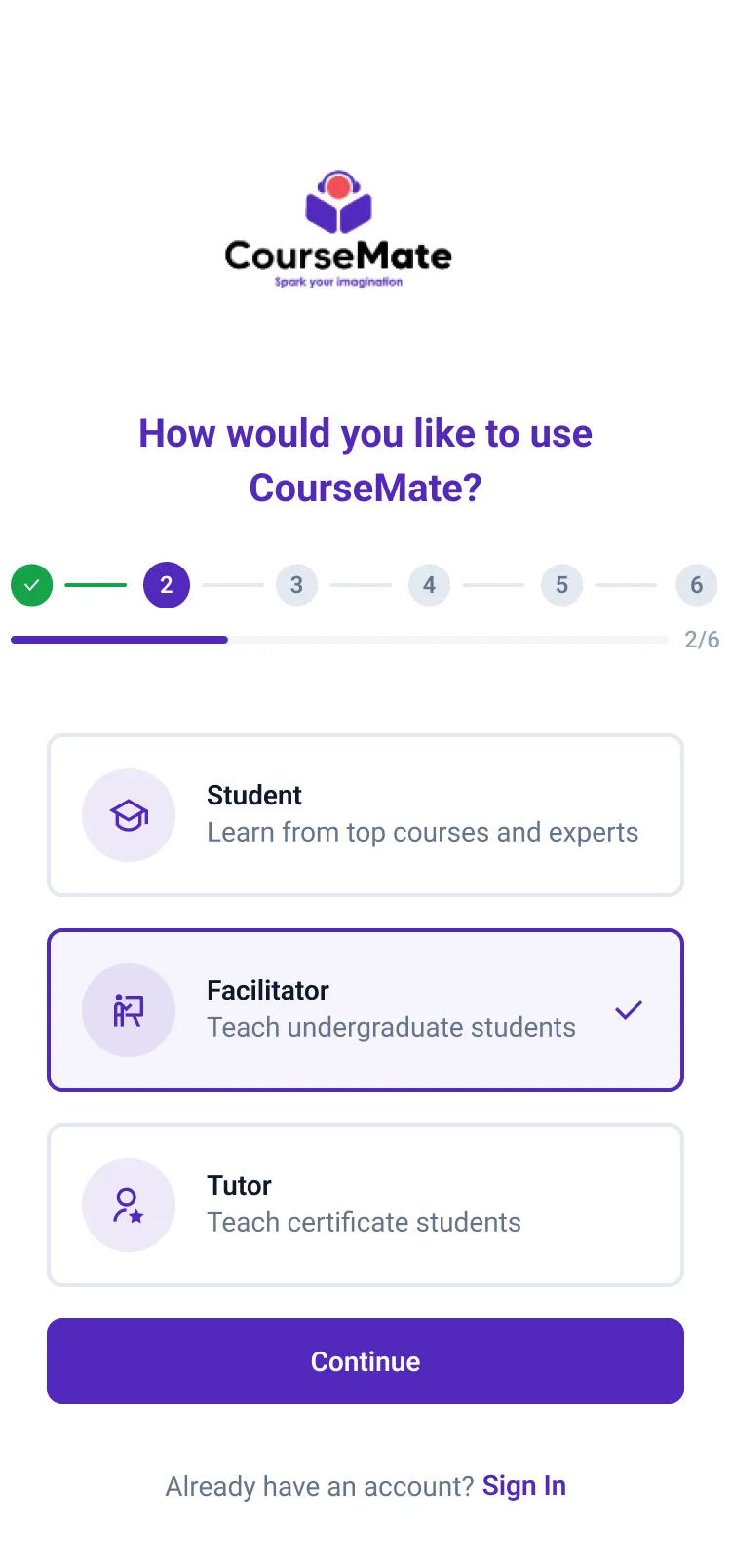
Choose Facilitator at sign-up
-
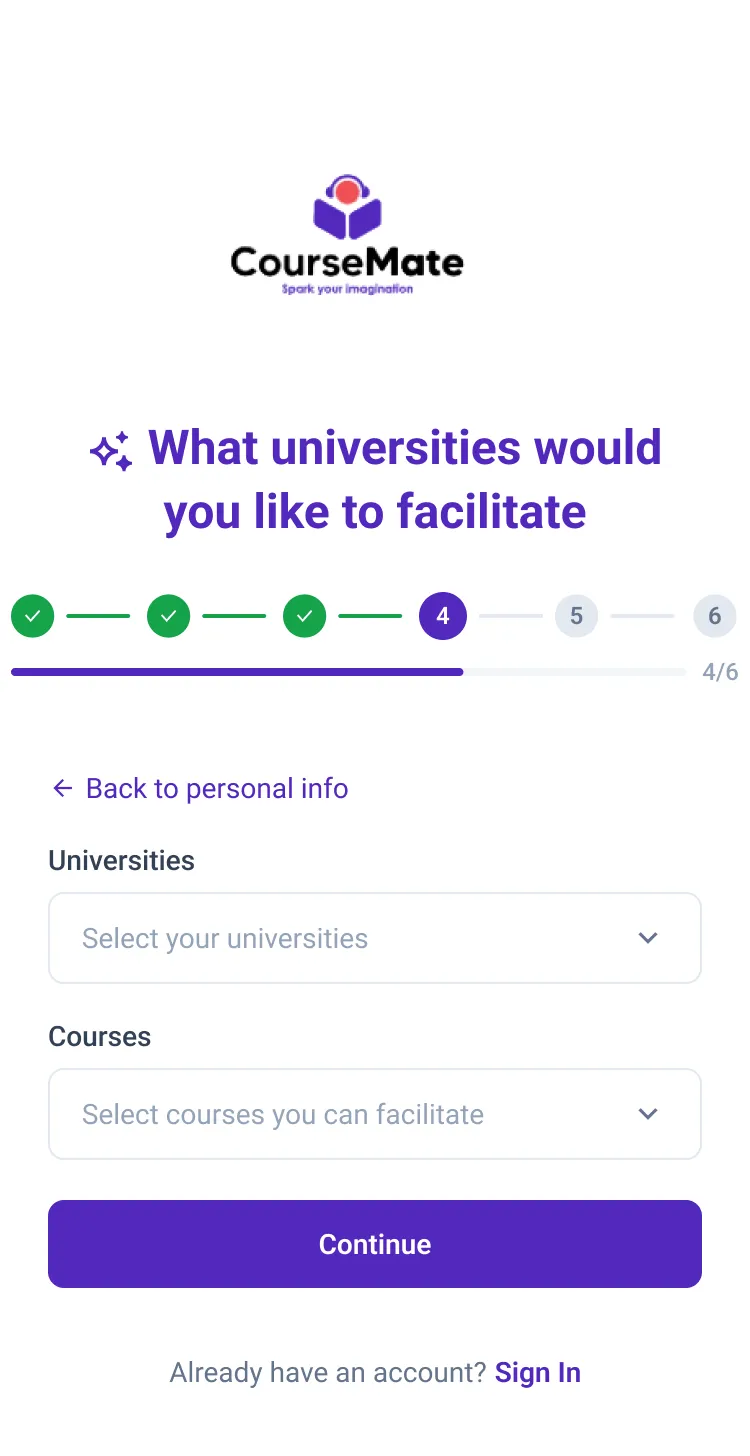
Pick the units you teach
-
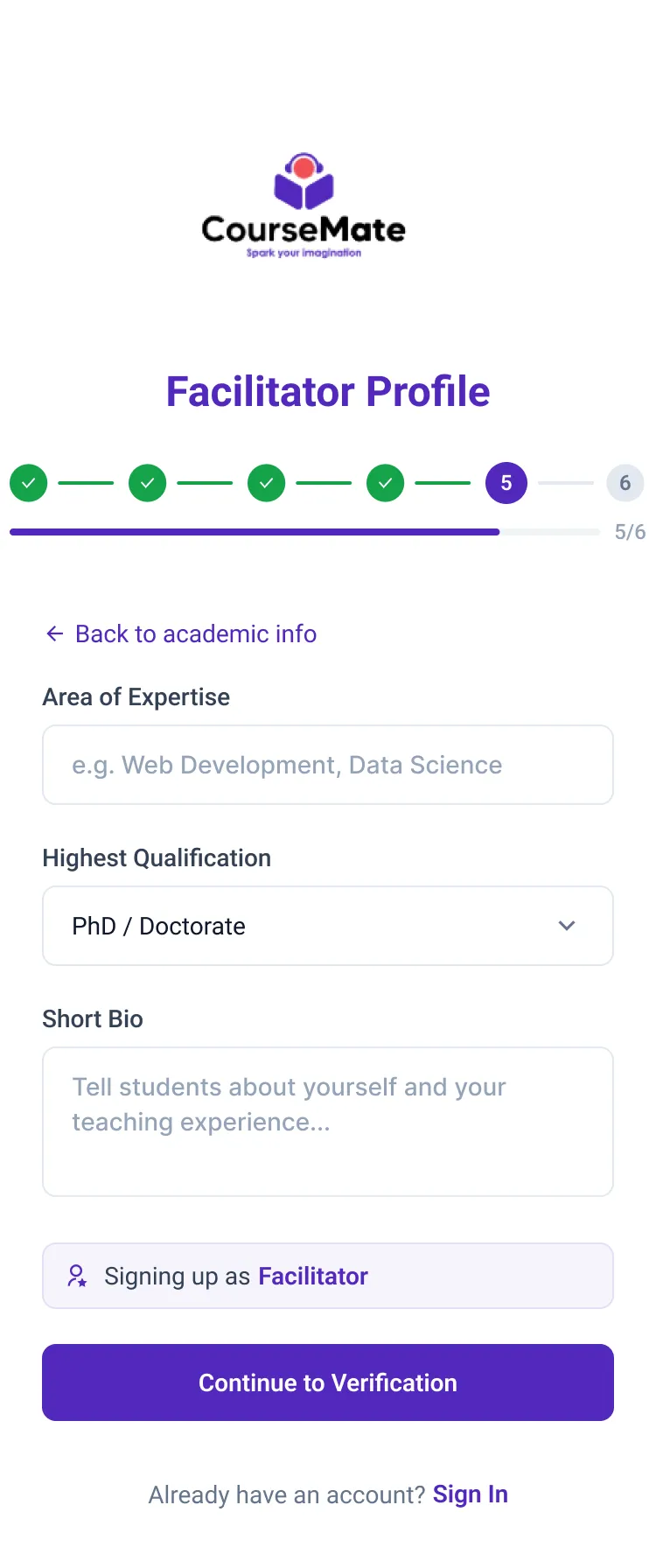
Your expertise and qualification
-
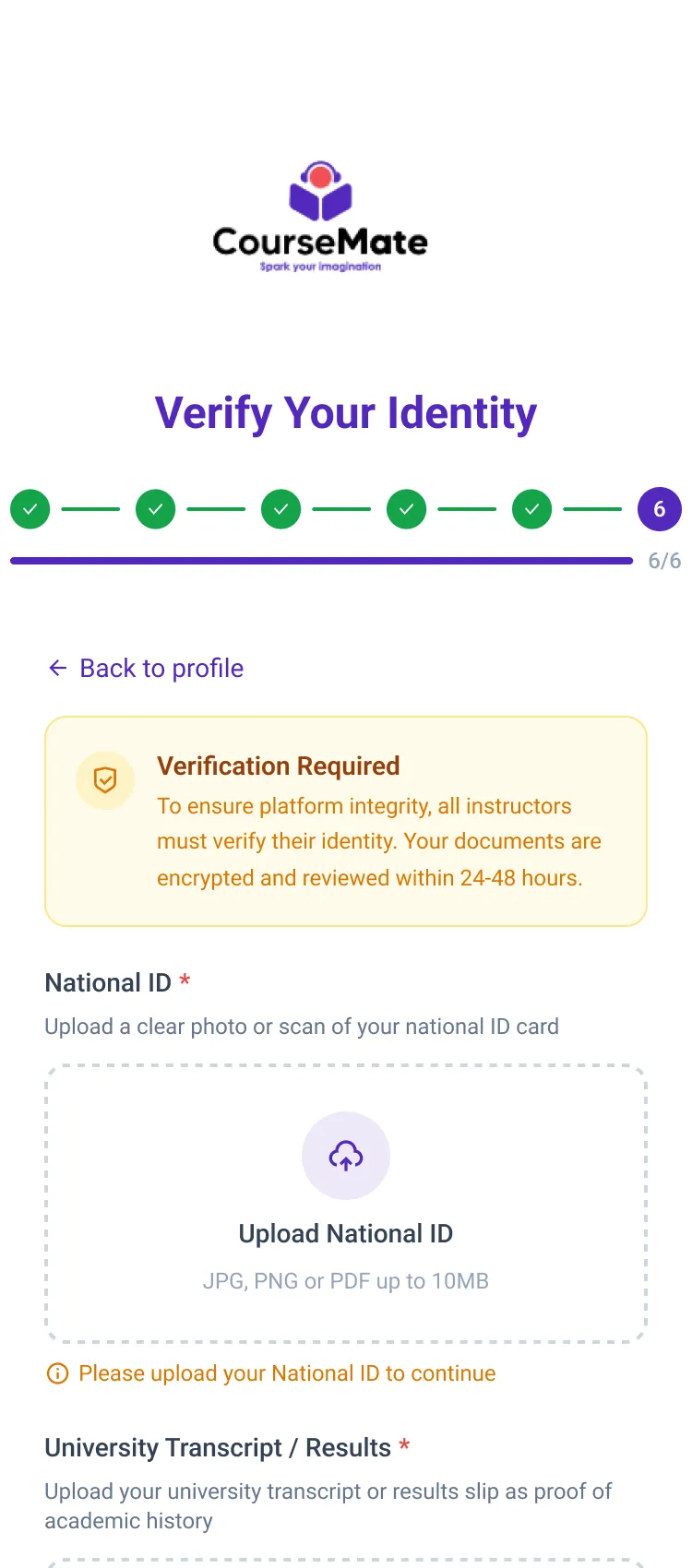
Verified within 24–48 hours
-
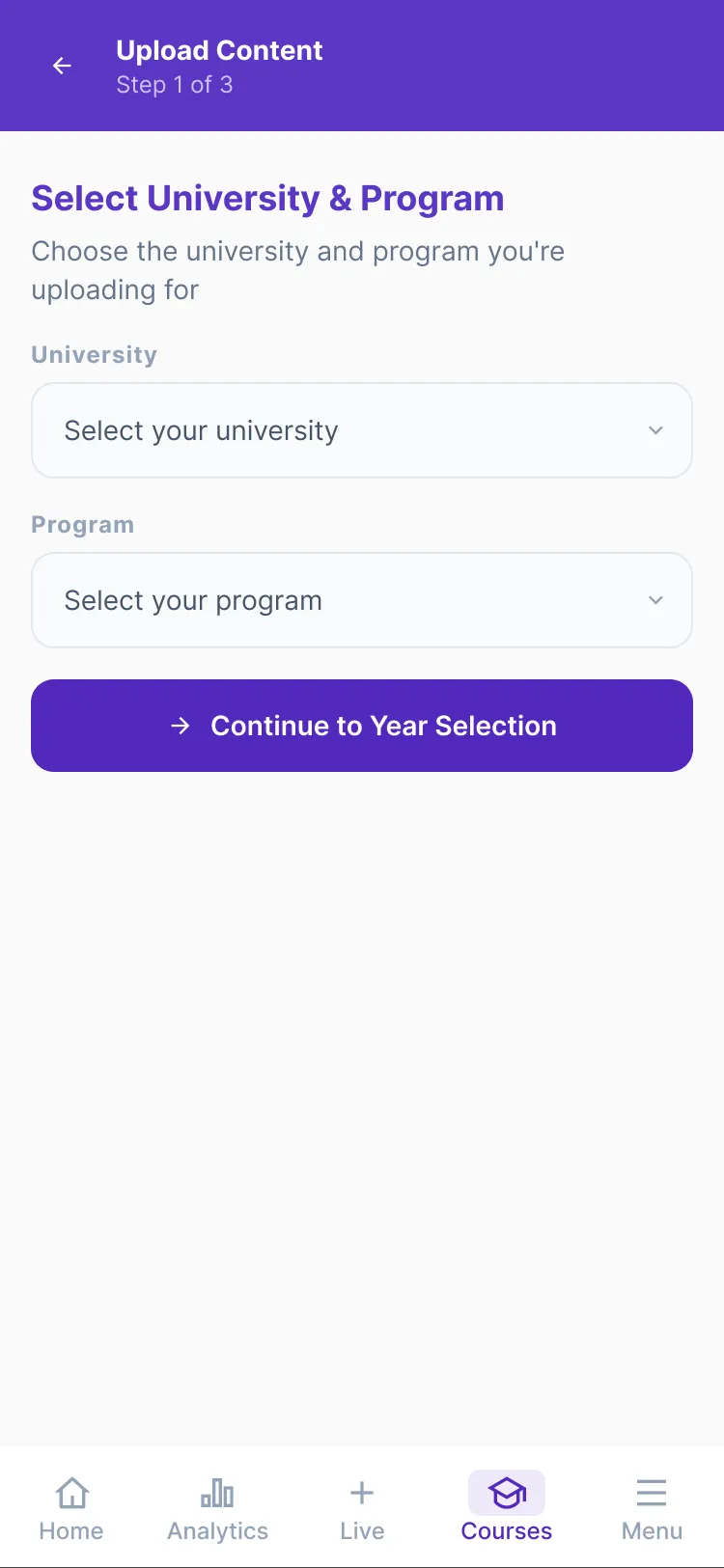
Upload to any university you teach at
Questions
How long does verification take?
Your account is created immediately. Identity documents are reviewed within 24–48 hours, and the account gains full access once verification is approved.
Can I change the course units I teach?
Not from the app yet. Contact support to add or change units.
What can I upload?
Video tutorials, notes, summaries/cheatcodes, past papers, timetables, course outlines and books — up to 20 files at a time, each tied to a course unit.
What can I charge?
Anything from free to UGX 999,999 per item, except notes, which are always free. Live sessions start at UGX 1,000.
Why are notes free?
Lecture notes are the baseline every student needs. Making them free brings students to your course unit, where your paid tutorials, summaries, papers and sessions sit.
What does CourseMate take?
A platform fee on content sales and on the session price, plus a small session fee paid by the student on top of your price. The exact figures are shown in the app before you publish.
When do I get paid?
Content sales are credited to your wallet when a student unlocks the item. Session payments are released from escrow when the session ends. You withdraw whenever you like.
Is there a minimum withdrawal?
Yes; the app shows the current minimum when you withdraw.
What if I cancel a session?
You can delete a scheduled session before it starts. Students who bought seats are refunded from escrow.
Can I delete content I have uploaded?
You can edit its title, price, category and course unit yourself. Removal is handled by support — contact us with the item and we will take it down.
Do I keep the rights to my content?
Yes. You license it to CourseMate for distribution to students on the platform and remain the owner.
Are live sessions recorded?
Yes. A recording is kept after the session and students who missed it can buy the replay, which pays you like a content sale.
Can a facilitator also use the student app?
No. Facilitator accounts are instructor-only. Student Experts keep the full student app and switch views from the menu.
Which phones are supported?
CourseMate runs on Android and iPhone, with a web version in progress.
Bring your course to CourseMate
Sign up as a Facilitator, get verified within two days, and start teaching the students who are already there.
Coming soon Launching on iOS and Android.